




A minimalistic headless CMS around Angular & Firebase.
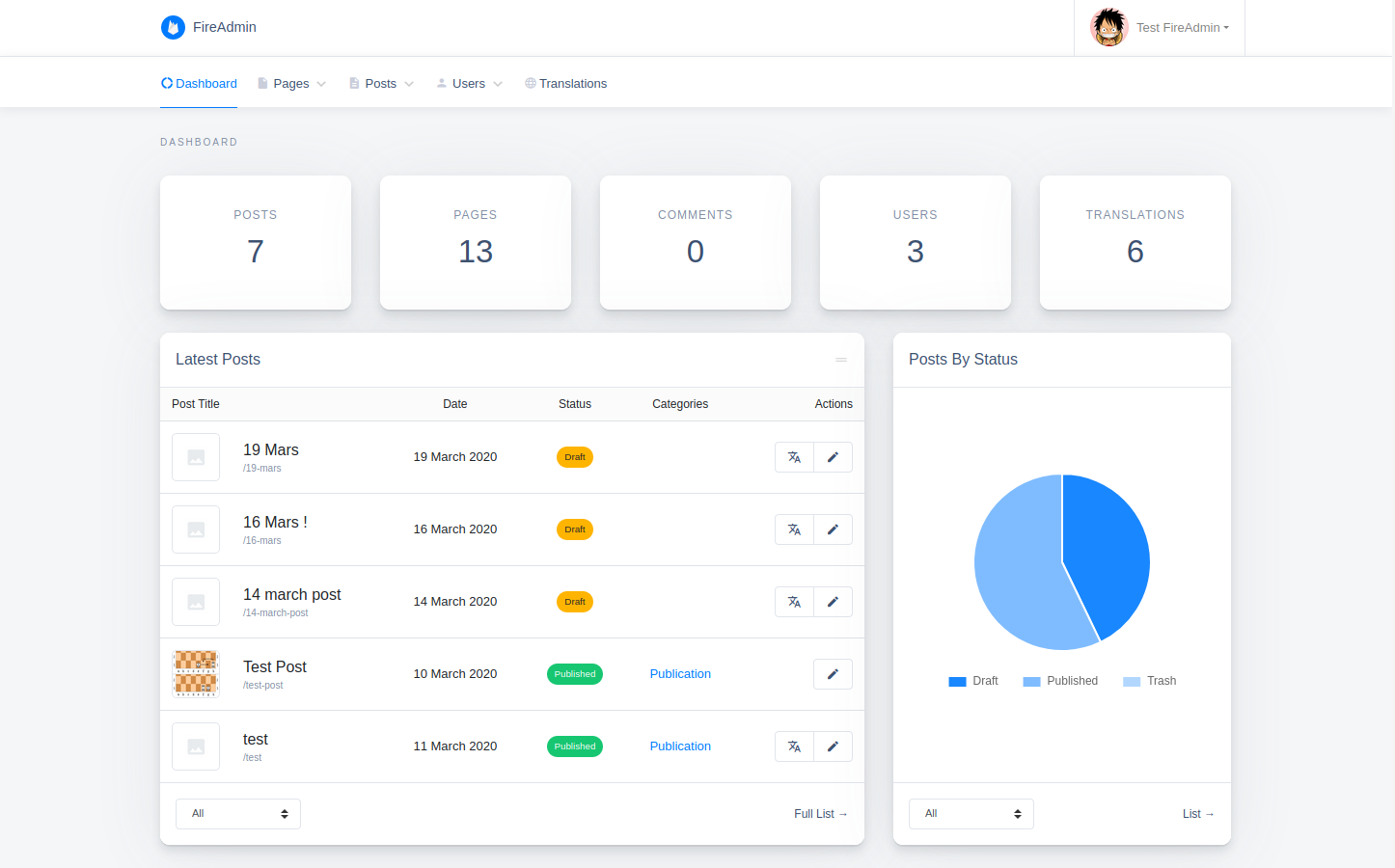
ServiceFolder is field service management software providing solutions for field technicians and for companies that are maintaining inventory in multiple locations and branches or operating in a franchise mode
- Simple & minimalistic
- Customizable
- Responsive
- Internationalization ready
- Easy/automated updates (via npm)
npm install --save ng-fire-admin
It's recommended to use a multi-project workspace with basically 2 main applications (one for the frontend part & the other for the backend) to avoid any potential conflicts, then apply the following changes on your backend app:
Multi-project creation steps
  ng new my-workspace --createApplication="false"
  cd my-workspace
  ng generate application backend --defaults --routing=true
  // you can add the frontend app the same way
npm install --save ng-fire-admin1. Setup your firebase project:
-
Start by adding a new project in your firebase console.
-
Enable Authentication by email & password.
-
Add a database to your project.
2. Add your firebase configuration in environment.ts:
  export const environment = {
    production: false,
+   firebase: {
+     apiKey: "<API_KEY>",
+     authDomain: "<PROJECT_ID>.firebaseapp.com",
+     databaseURL: "https://<DATABASE_NAME>.firebaseio.com",
+     projectId: "<PROJECT_ID>",
+     storageBucket: "<BUCKET>.appspot.com",
+     messagingSenderId: "<SENDER_ID>",
+     appId: "<APP_ID>"
+   }
};3. Register the FireAdminModule in a module, for example app module:
  import { BrowserModule } from '@angular/platform-browser';
  import { NgModule } from '@angular/core';

  import { AppRoutingModule } from './app-routing.module';
  import { AppComponent } from './app.component';
+ import { FireAdminModule } from 'ng-fire-admin';
+ import { environment } from '../environments/environment';

  @NgModule({
    declarations: [AppComponent],
    imports: [
      BrowserModule,
      AppRoutingModule,
+     FireAdminModule.initialize(environment.firebase)
    ],
    providers: [],
    bootstrap: [AppComponent]
  })
export class AppModule {}4. Setup a simple routing as below:
  import { NgModule } from '@angular/core';
  import { Routes, RouterModule } from '@angular/router';

  const routes: Routes = [
+   {
+     path: 'admin',
+     loadChildren: () => import('ng-fire-admin').then(m => m.FireAdminModule)
+   },
+   {
+     path: '**',
+     redirectTo: 'admin'
+   }
  ];

  @NgModule({
    imports: [RouterModule.forRoot(routes)],
    exports: [RouterModule]
  })
export class AppRoutingModule { }5. Edit your main component template (generally app.component.html) & keep only the <router-outlet></router-outlet> line:
+ <router-outlet></router-outlet>6. Add the following styles & scripts entries to angular.json:
  "assets": [
    "projects/backend/src/favicon.ico",
    "projects/backend/src/assets"
  ],
  "styles": [
    "projects/backend/src/styles.css",
+   "node_modules/@fortawesome/fontawesome-free/css/all.min.css",
+   "node_modules/material-icons-font/material-icons-font.css",
+   "node_modules/bootstrap/dist/css/bootstrap.min.css",
+   "node_modules/datatables.net-responsive-dt/css/responsive.dataTables.min.css",
+   "node_modules/quill/dist/quill.snow.css"
  ],
  "scripts": [
+   "node_modules/jquery/dist/jquery.min.js",
+   "node_modules/popper.js/dist/umd/popper.min.js",
+   "node_modules/bootstrap/dist/js/bootstrap.min.js",
+   "node_modules/datatables.net/js/jquery.dataTables.min.js",
+   "node_modules/datatables.net-responsive-dt/js/responsive.dataTables.min.js",
+   "node_modules/chart.js/dist/Chart.min.js",
+   "node_modules/shards-ui/dist/js/shards.min.js",
+   "node_modules/quill/dist/quill.min.js"
]7. You may also need to add the following lines to polyfills.ts:
  // Add global to window, assigning the value of window itself.
+ (window as any).global = window;8. In order to protect your database & storage data, you must set the following rules in your firebase console:
Firestore Database rules:
rules_version = '2';
service cloud.firestore {
  match /databases/{database}/documents {
    match /{collection}/{document}/{path=**} {
      allow read: if canRead(collection, document);
      allow write: if canWrite(collection, document);
    }
    function canRead(collection, document) {
      return isAccessible(collection, document) || isAdmin();
    }
    function canWrite(collection, document) {
      return registrationEnabled(collection) || isAdmin() || (
        isEditor() && collection != 'config' && isAccessible(collection, document)
      );
    }
    function isAccessible(collection, document) {
      return collection != 'users' || isOwner(document);
    }
    function isSignedIn() {
      return request.auth != null;
    }
    function hasRole(role) {
      return isSignedIn() && get(/databases/$(database)/documents/users/$(request.auth.uid)).data.role == role;
    }
    function isAdmin() {
      return hasRole('admin');
    }
    function isEditor() {
      return hasRole('editor');
    }
    function isOwner(ownerId) {
      return isSignedIn() && request.auth.uid == ownerId;
    }
    function registrationEnabled(collection) {
      return collection == 'users' && (
        !exists(/databases/$(database)/documents/config/registration) ||
        get(/databases/$(database)/documents/config/registration).data.enabled
      );
    }
  }
}
More basic database rules? (not recommended)
  rules_version = '2';
  service cloud.firestore {
    match /databases/{database}/documents {
      match /{collection}/{document=**} {
        allow read: if collection != 'users' || request.auth != null;
        allow write: if request.auth != null;
      }
    }
  }
Storage rules:
rules_version = '2';
service firebase.storage {
  match /b/{bucket}/o {
    match /{allPaths=**} {
      allow read;
      allow write: if request.auth != null;
    }
  }
}9. Launch your project using ng serve.
That's it 🎉, enjoy your ready to use backend app!
Q: Why don't you use Firebase functions to manage users through a custom API for example?
A:
- I just wanted to prove the theory of a serverless CMS using both Angular & Firebase client side features.
- Firebase functions needs a
blazetier to be deployed, which will make the user management not usable/testable for free.
Q: Do you have any plans to continue this project?
A: I do, all i need is free time, ambition & some ☕.
Q: Cool! i liked your project, how can i help?
A:
- If you are a developer & you feel interested to contribute, i invite you to check the todo list below or to review the source code, as many parts still need to be reworked.
- If not, then you can give us a 🌟 & why not share the project with your friends.
- Menus handler
- Password reset feature
- Posts comments
- Posts custom fields
- Replace nested components directories with modules
Run ng build to build the project. The build artifacts will be stored in the dist/ directory.
After building your library with ng build, go to the dist folder cd dist/fire-admin and run npm publish.
Firebase icon by Icons8.
This project is licensed under the MIT license.