



This Alpine/Ubuntu Linux based Docker image allows you to run Nfarina's Homebridge on your home network which emulates the iOS HomeKit API.
This is a multi-arch image and will also run on a Raspberry Pi or other Docker-enabled ARMv6/7/8 devices.
| Image Tag | Architectures | Image OS |
|---|---|---|
| latest | amd64, arm32v6, arm64v8 | Alpine Linux 3.11 |
| ubuntu | amd64, arm32v7, arm64v8 | Ubuntu 18.04 |
| ubuntu-no-avahi | amd64, arm32v7, arm64v8 | Ubuntu 18.04 |
- Running Homebridge with Docker on Linux
- Running Homebridge on a Synology NAS
- Running Homebridge on Unraid
Homebridge requires full access to your local network to function correctly which can be achieved using the --net=host flag. This image will not work when using Docker for Mac or Docker for Windows due to this and this.
Command Line:
docker run --net=host --name=homebridge -v $(pwd)/homebridge:/homebridge oznu/homebridge:ubuntuUsing Docker Compose (recommended):
version: '2'
services:
  homebridge:
    image: oznu/homebridge:ubuntu
    restart: always
    network_mode: host
    environment:
      - PGID=1000
      - PUID=1000
      - HOMEBRIDGE_CONFIG_UI=1
      - HOMEBRIDGE_CONFIG_UI_PORT=8581
      - TZ=Canberra/Australia
    volumes:
- ./volumes/homebridge:/homebridgeThe parameters are split into two halves, separated by a colon, the left hand side representing the host and the right the container side.
--net=host- Shares host networking with container, required-v /homebridge- The Homebridge config and plugin location
-e PGID- for group id - see below for explanation-e PUID- for user id - see below for explanation-e TZ- for timezone information e.g.-e TZ=Canberra/Australia
-e HOMEBRIDGE_CONFIG_UI=1- Set to0to disable the Homebridge UI.-e HOMEBRIDGE_CONFIG_UI_PORT=8581- The port to run the Homebridge UI on. Defaults to port 8581.
Sometimes when using data volumes (-v flags) permissions issues can arise between the host OS and the container. We avoid this issue by allowing you to specify the user PUID and group PGID. Ensure the data volume directory on the host is owned by the same user you specify and it will "just work".
In this instance PUID=1001 and PGID=1001. To find yours use id user as below:
  $ id <dockeruser>
    uid=1001(dockeruser) gid=1001(dockergroup) groups=1001(dockergroup)
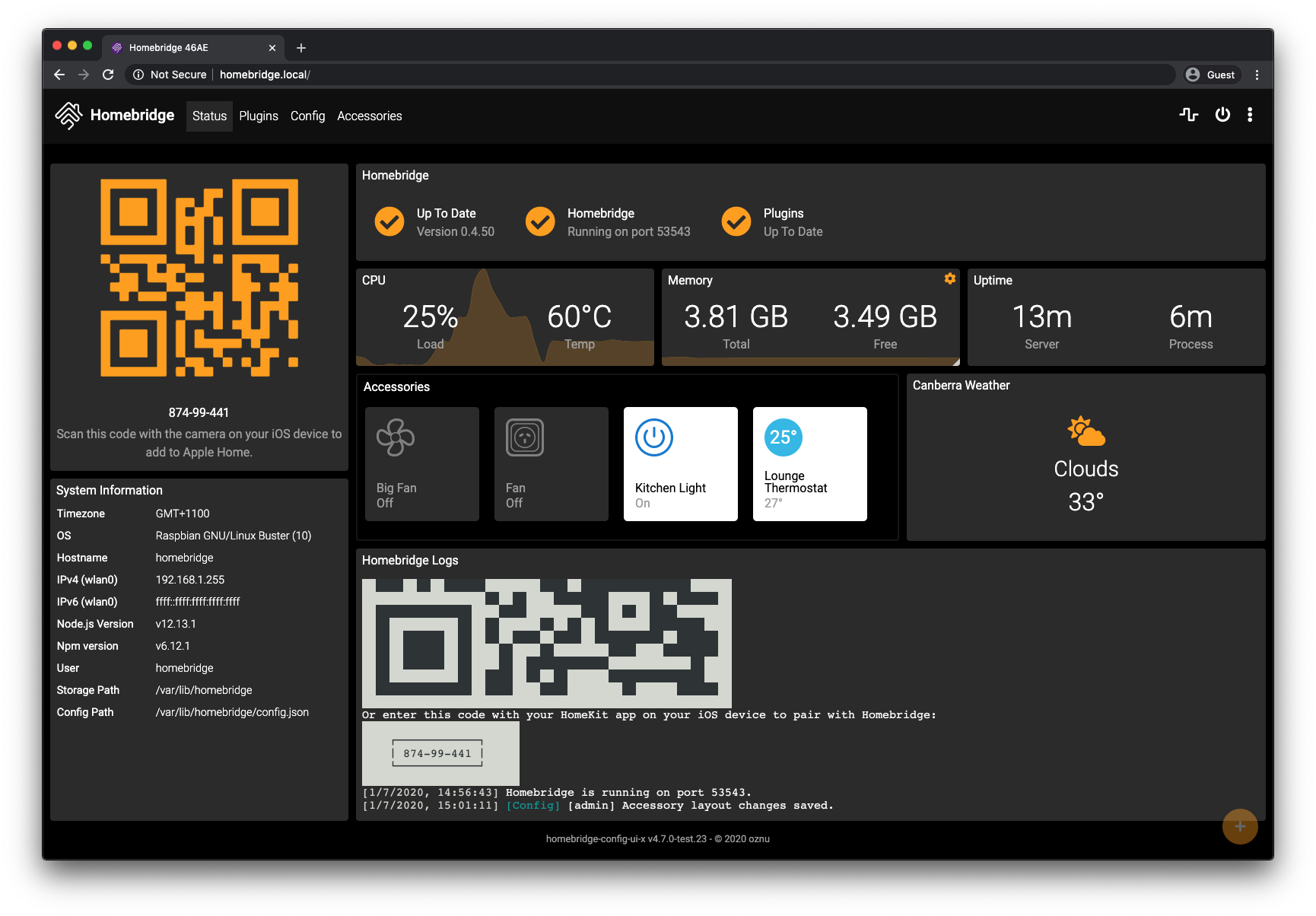
This image comes with the Homebridge UI pre-installed and is the easiest way to manage all aspects of Homebridge.
To manage Homebridge go to http://<ip of server>:8581 in your browser. For example, http://192.168.1.20:8581. From here you can install, remove and update plugins, modify the Homebridge config.json and restart Homebridge.
The default username is admin and the default password is admin.
ffmpeg, with libfdk-aac audio support is included in this image.
Some plugins don't like Alpine Linux so this project also provides a Ubuntu based version of the image.
docker run oznu/homebridge:ubuntu
See the wiki for a list of image variants: https://github.com/oznu/docker-homebridge/wiki
Join the Official Homebridge Discord community and ask in the #docker channel.
Copyright (C) 2017-2021 oznu
This program is free software: you can redistribute it and/or modify it under the terms of the GNU General Public License as published by the Free Software Foundation, either version 3 of the License, or (at your option) any later version.
This program is distributed in the hope that it will be useful, but WITHOUT ANY WARRANTY; without even the implied warranty of MERCHANTABILITY or FITNESS FOR A PARTICULAR PURPOSE. See the GNU General Public License for more details.